Browser extension · free
Save jobs, see your match and autofill applications
One click on any job post shows how well your résumé fits and whether the post is still worth applying to. On the application form, one more click fills in your details and résumé.
Free · works in Chrome, Edge, Brave and Firefox
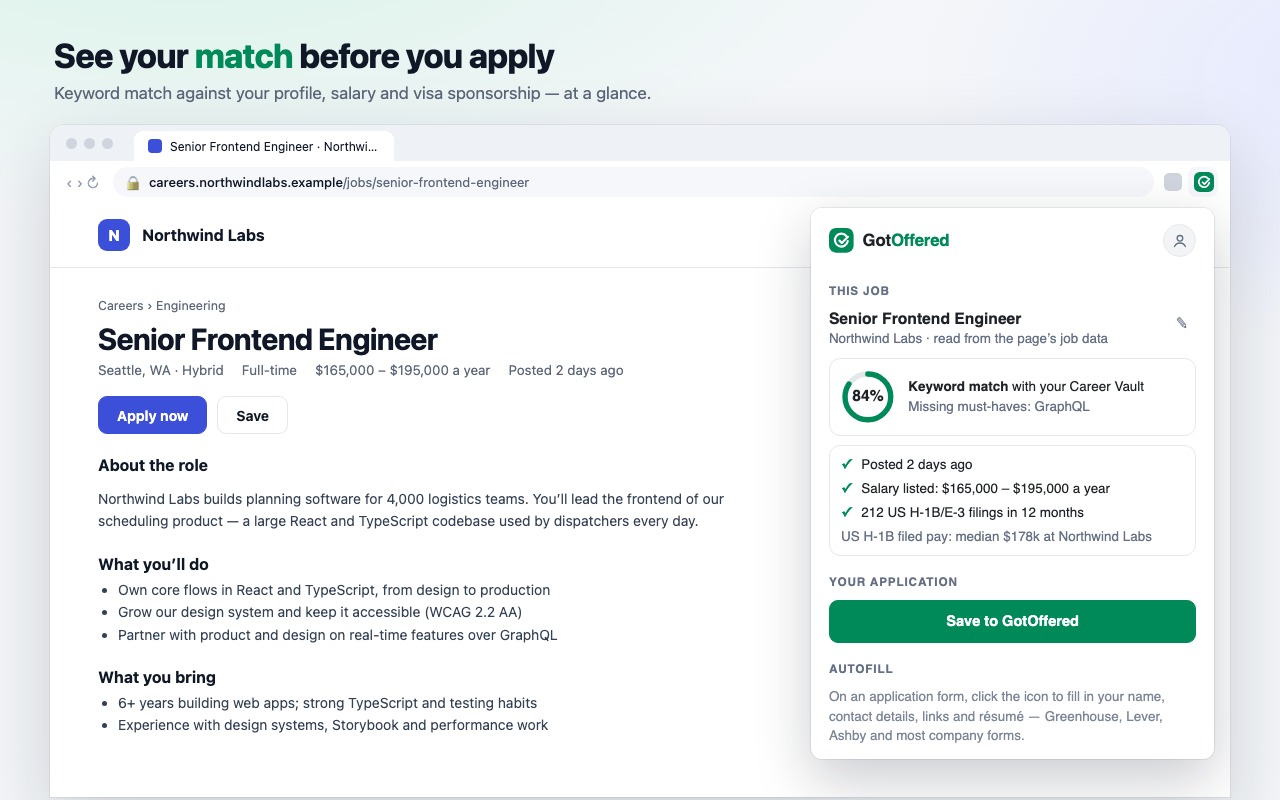
See your match before you apply
On any job post, the keywords you already cover and the must-haves you’re missing — against your Career Vault — plus the employer’s US and UK visa sponsorship record.
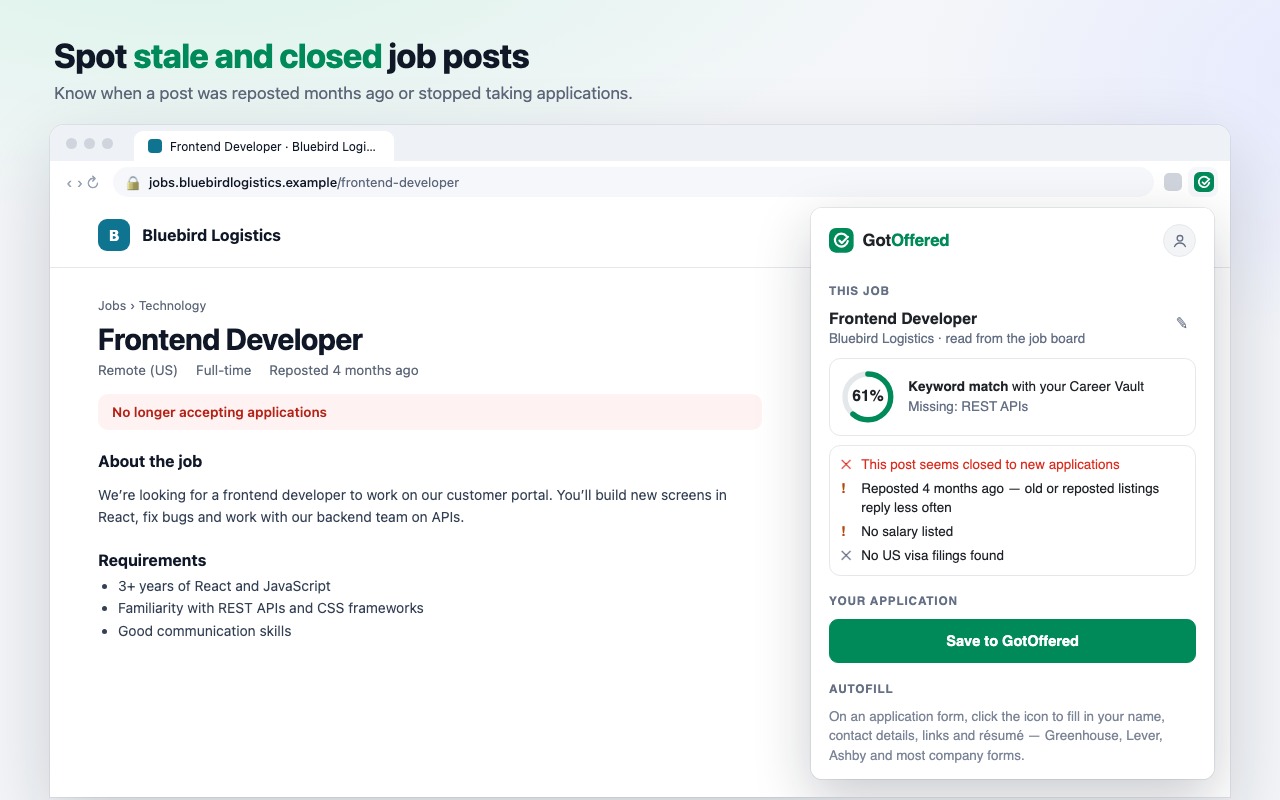
Spot stale and closed posts
Know when a post was reposted months ago, stopped taking applications, or lists no salary — before you spend an hour on it.
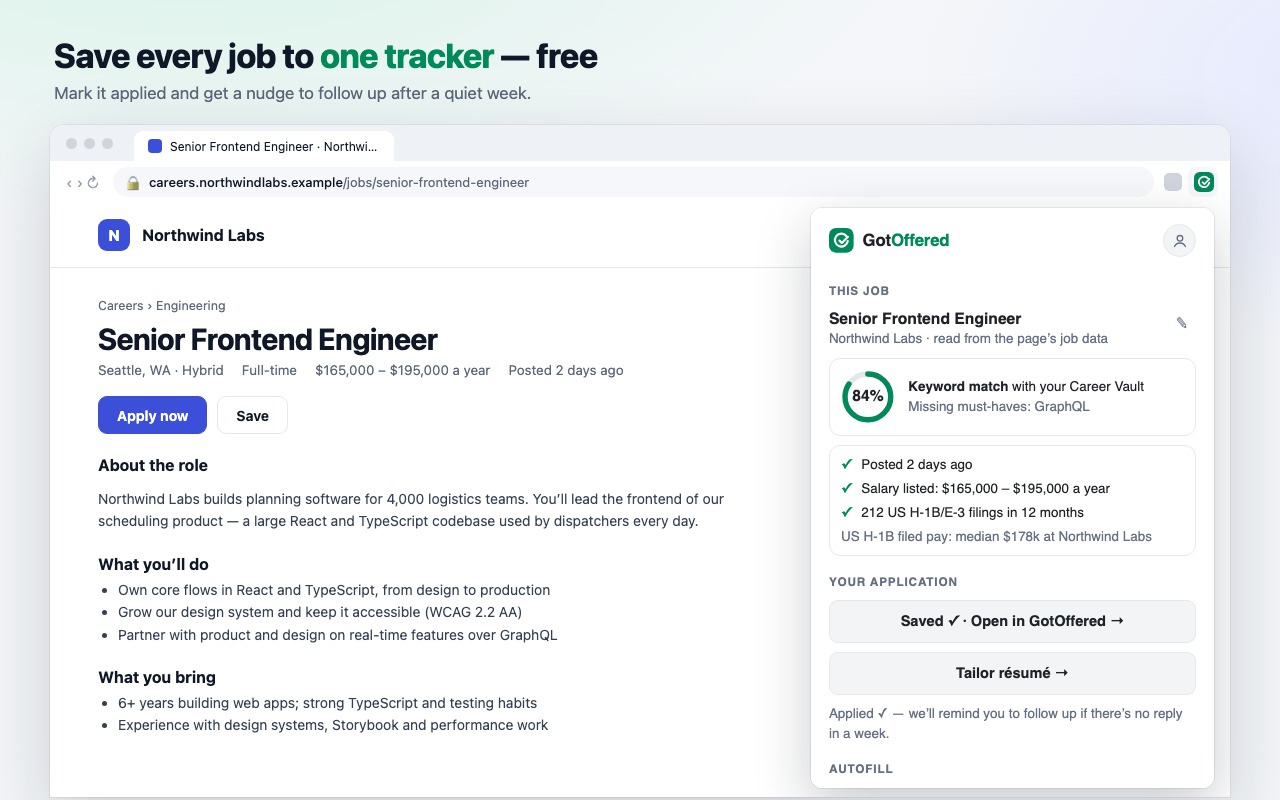
Save every job to one tracker — free
One click saves the full description to your applications. Mark it applied and your reminder email nudges a follow-up after a quiet week.
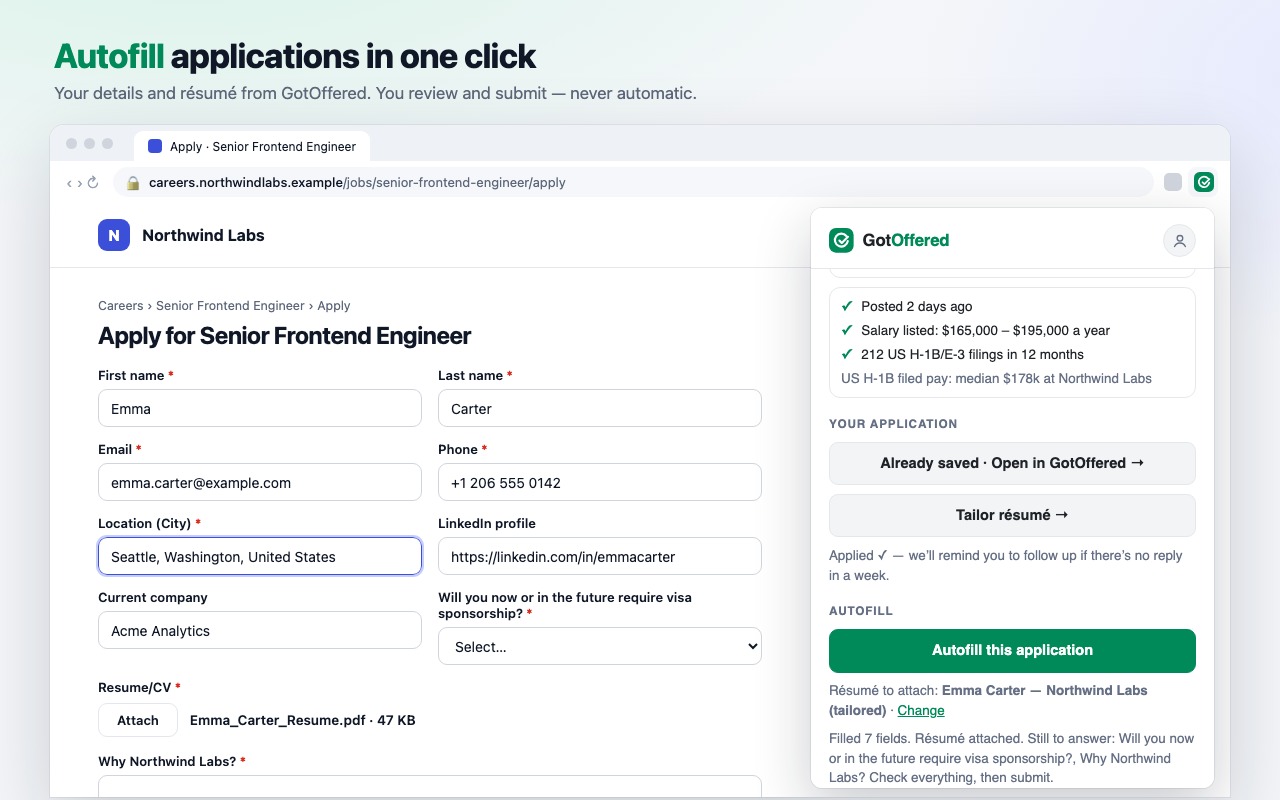
Autofill applications in one click
Your name, contact details, location, links and résumé PDF go into the form — on Greenhouse, Lever, Ashby and most company sites. You review and submit; it never submits for you.
Private by design
Only when you click
It reads a page only when you click its icon. Nothing runs in the background, and your browsing isn’t tracked.
Never what you type
Autofill reads a form’s field labels, never what’s in them, and leaves demographic, visa and salary questions to you.
Your account, your control
It connects to your own GotOffered account with a token you can revoke any time in Settings.
Questions
- Is it free?
- Yes. Saving jobs, the tracker, the match and autofill are free with no limit. Paid plans add unlimited AI tailoring, cover letters and interview practice in GotOffered.
- Which browsers does it work in?
- Chrome, Edge, Brave and other Chromium browsers (from the Chrome Web Store), and Firefox (from Firefox Add-ons).
- Which job sites does it read?
- LinkedIn, Indeed, Greenhouse, Lever, Workday, Ashby and most company careers pages. If a page isn’t recognised, select the job description and click the icon again.
- Do I need an account?
- Yes, a free GotOffered account: the extension saves jobs to it and uses your Career Vault for the match and autofill.
- What data does it send?
- When you open it, the page’s main content (not menus, sidebars, chats or form fields) goes to your account to find the job post; nothing is stored until you press Save. See the privacy policy for details.
Step by step, with what to do when something doesn’t work: the extension guide.
Apply faster, follow up on time
Install the extension, then connect it to your free GotOffered account.